Activity Log
Use Activity Log to find what happened around a server problem or configuration change. You need the Activity log role permission to read it.
Find the relevant events
- Open the server from Console and choose Activity Log.
- Read the newest entries around the time of the problem.
- Where player logging is supported, select All, Server Log, or Player Log to narrow the list.
- Compare the entries with the current status message on Overview.
Player Log records reported joins and leaves, not a complete transcript of gameplay or chat.
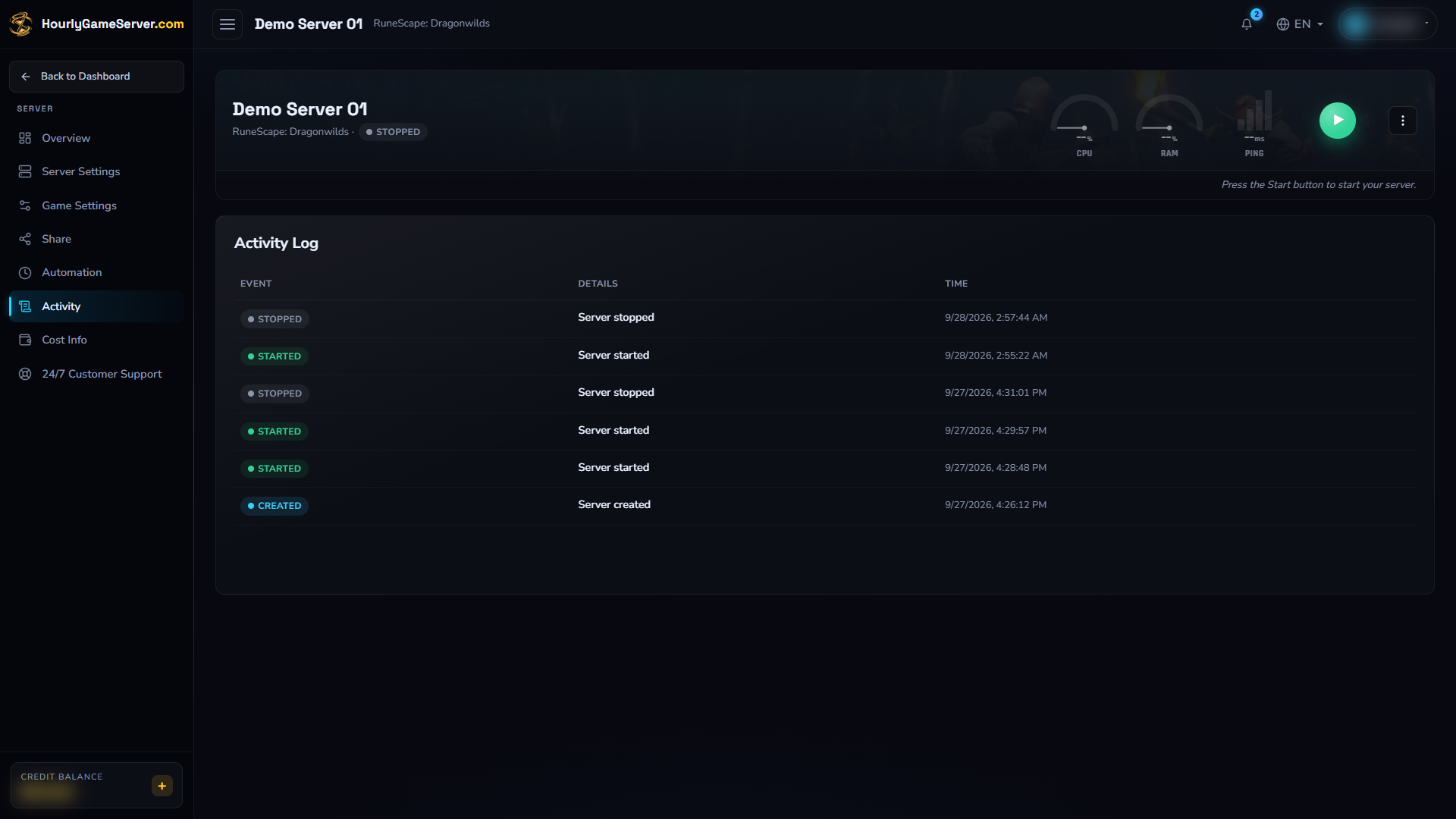
Existing events on the stopped Dragonwilds example. These records show earlier creation, startup, and shutdown activity; no server actions were performed to produce this screenshot.
Understand event types
| Event | Meaning |
|---|---|
| Created | The server record was created; this alone does not prove the game is running. |
| Started / Stopped | Startup or shutdown completed. |
| Error | A problem was reported; read its accompanying message. |
| Server Settings | Hosting configuration or hourly rate changed. |
| Game Settings | Saved game options changed. |
| Mods | The selected mod list changed. |
| Share Link | A role's share link was generated. |
The log is not a billing statement, full game console, or complete schedule-run history. Use billing help for charges and automation troubleshooting for missed schedules.
Read change details and times
Configuration entries may show previous and new values. They help identify what changed before an interruption, but do not prove that a later gameplay problem was caused by that change.
Times are displayed in your browser's local timezone. Include the date, time, and timezone when asking support to investigate; another viewer may see a different local time.
Act on warnings
A shutdown entry does not cancel a separate save warning. If you see Save game backup did not complete, follow save-data troubleshooting before starting or changing the world again.
For other persistent errors, use the relevant troubleshooting guide. Share only the necessary event details with support, excluding passwords, tokens, and private player details. Keep the server intact while investigating; deletion permanently removes its saves.