Server Settings: Region, Tier, and Size
Use Server Settings to change hosting capacity or location, not the game's difficulty, password, or world rules. Those belong in Game Settings.
Before changing the configuration
You need the Server Settings role permission. Plan an interruption if the server is Running, and check the owner's available credits. If the server is in Error, investigate and stop it before planning a configuration change; Error is not a billing pause.
Compare configurations
- Open the server from Console and select Server Settings.
- Choose Region, then Server tier and Server size.
- Compare the selected CPU, memory, and hourly rate.
- If needed, use Advanced — choose a specific configuration to compare the other offered configurations for that region.
Choices vary by game and region. Recheck all three selections after changing the region. Selecting a card alone does not apply the change.
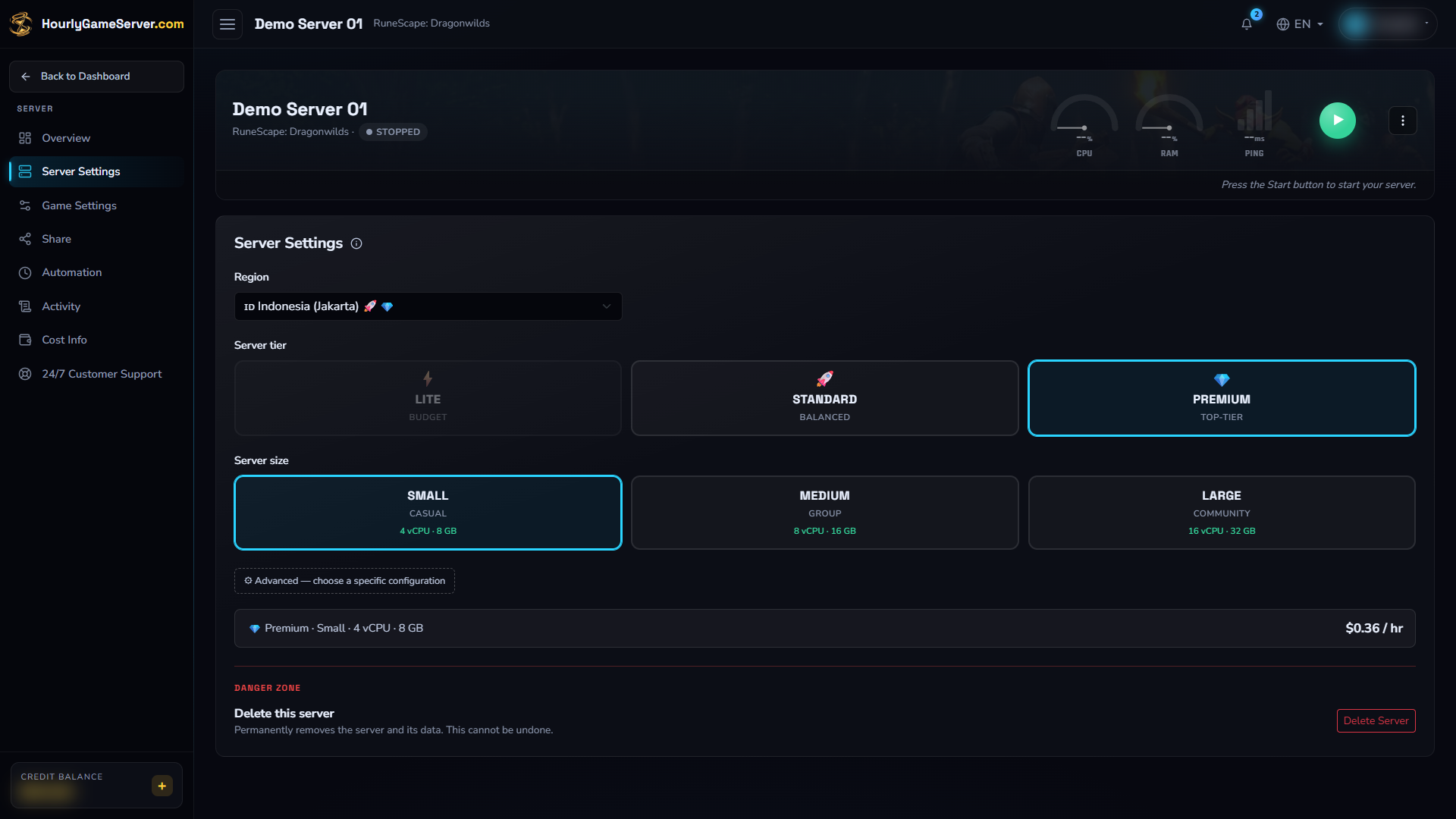
The existing stopped example uses Jakarta, Premium, and Small; this is not a recommendation for every workload. Displayed prices are illustrative, not a quote. No settings were edited or applied, and the visible deletion controls were not used.
Apply while Running
Select Apply & Restart, read the confirmation, and confirm only when players are ready to disconnect. The server restarts to move to the new configuration. Billing is not paused merely because this restart interrupts play.
If the new rate exceeds the rate already paid for the current hourly window, the owner's wallet is charged the difference immediately and a new one-hour window begins. The owner needs enough credits to cover it.
A lower rate, or an increase still covered by the current paid-hour level, has no extra change charge and keeps the existing timer. Choosing a cheaper configuration does not refund past charges.
Apply while Stopped
Select Apply Changes and review the confirmation. Saving does not start the server. The selected configuration and hourly rate are used on the next Start.
Positive Banked Hour can resume, but moving above its paid rate may require a difference payment at startup. With no banked time, startup requires one full hour at the new rate.
Check the result
After a successful save, check the selected configuration and Activity Log. For a Running change, wait until the server returns to Running, then reopen Overview for current connection details and check that the world loads as expected.
Settings are locked during Starting, Stopping, or Deleting. If a credit or save error appears, reopen the settings to check what is displayed before retrying; do not assume every part of a failed change was applied or reverted. For a persistent problem, follow settings troubleshooting and contact support with the intended configuration and the error, without passwords or share links.