Automation
Open a server from Console and select Automation to plan recurring start/stop actions or, for supported games, messages to players.
Auto-start and Auto-shutdown
Choose active days, a timezone, and a start time, shutdown time, or both. One start time and one shutdown time apply to every selected day; the two actions can be enabled independently.
Scheduled actions follow the same billing rules as manual Start and Stop. Auto-start uses the owner's banked time or credits. A normal Auto-shutdown preserves saves and pauses billing; it does not delete the server.
See Auto-start and Auto-shutdown for setup, overnight timing, and disabling a schedule. Stopping manually does not disable a future Auto-start.
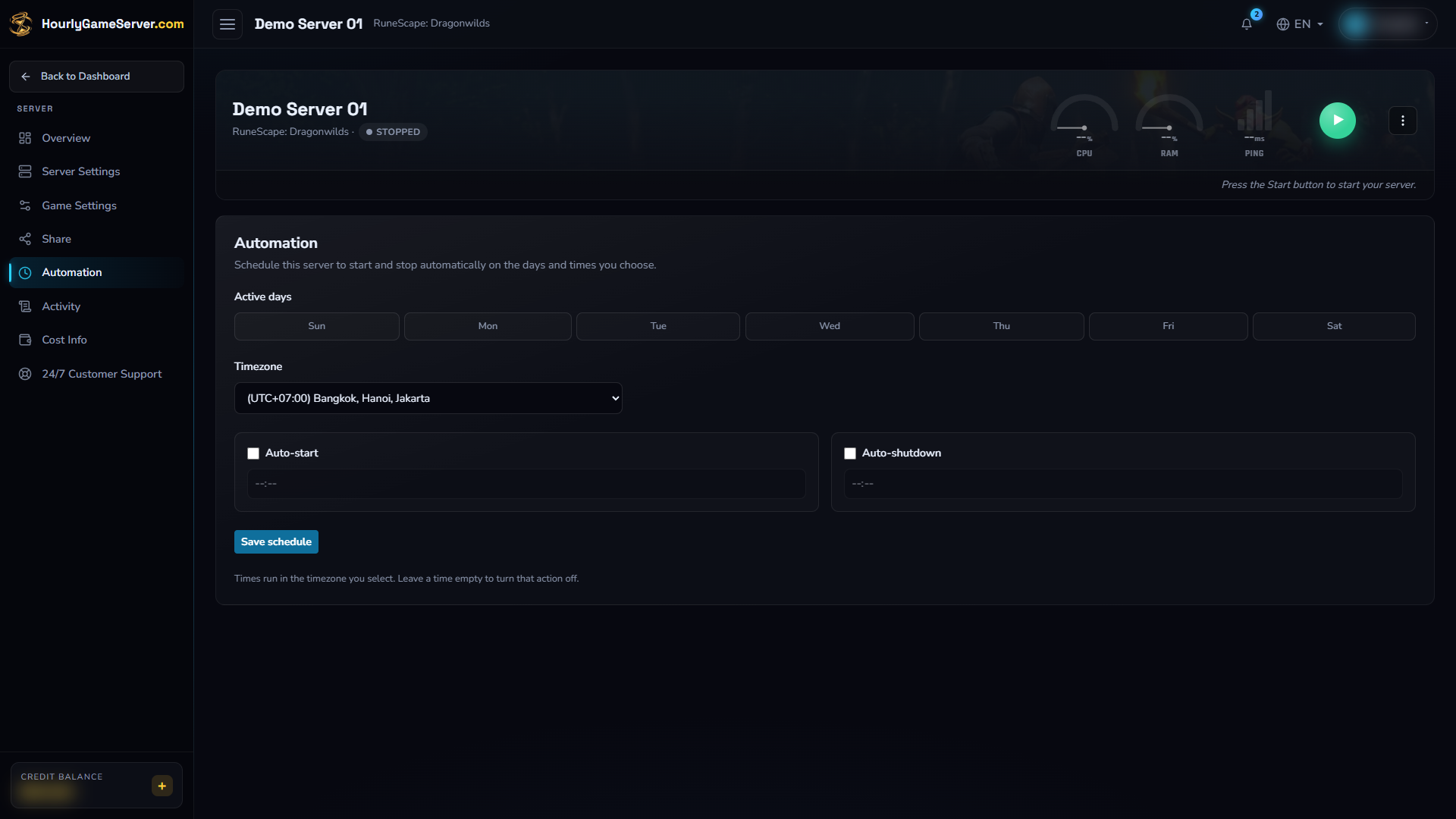
An unconfigured schedule on an existing stopped Dragonwilds example: both actions are disabled, the times are blank, and no days are selected. Nothing was changed or saved. To disable an existing action, turn its checkbox off and save; do not rely on clearing its time, even though the on-screen helper suggests that an empty time disables it.
Repeating Broadcast
On games with broadcast support, send one message per interval while the server is Running. A single message repeats; several messages rotate in order.
See Repeating Broadcast. It does not start a stopped server and is separate from the lifecycle schedule.
Access and limitations
Editing requires the Automation role permission. A viewer without it may see a read-only schedule. Repeating Broadcast is available on the signed-in Console for authorized owners or members, not through an anonymous share-link page, and only for games that support broadcasts.
A schedule is not a guarantee of immediate readiness or uninterrupted hosting. Startup takes time, insufficient credits can prevent it, and lifecycle conflicts can prevent an occurrence from taking action. For an unexpected result, check the saved schedule and current server status, then follow automation troubleshooting.